
 Field Guide
Every fix your team has found, in every tech's pocket.
The Field Guide keeps your products, issues and their fixes, how-tos and default settings in one place every tech can search on site, and shares what you choose with other AV teams, with no names attached.
no picture output 2
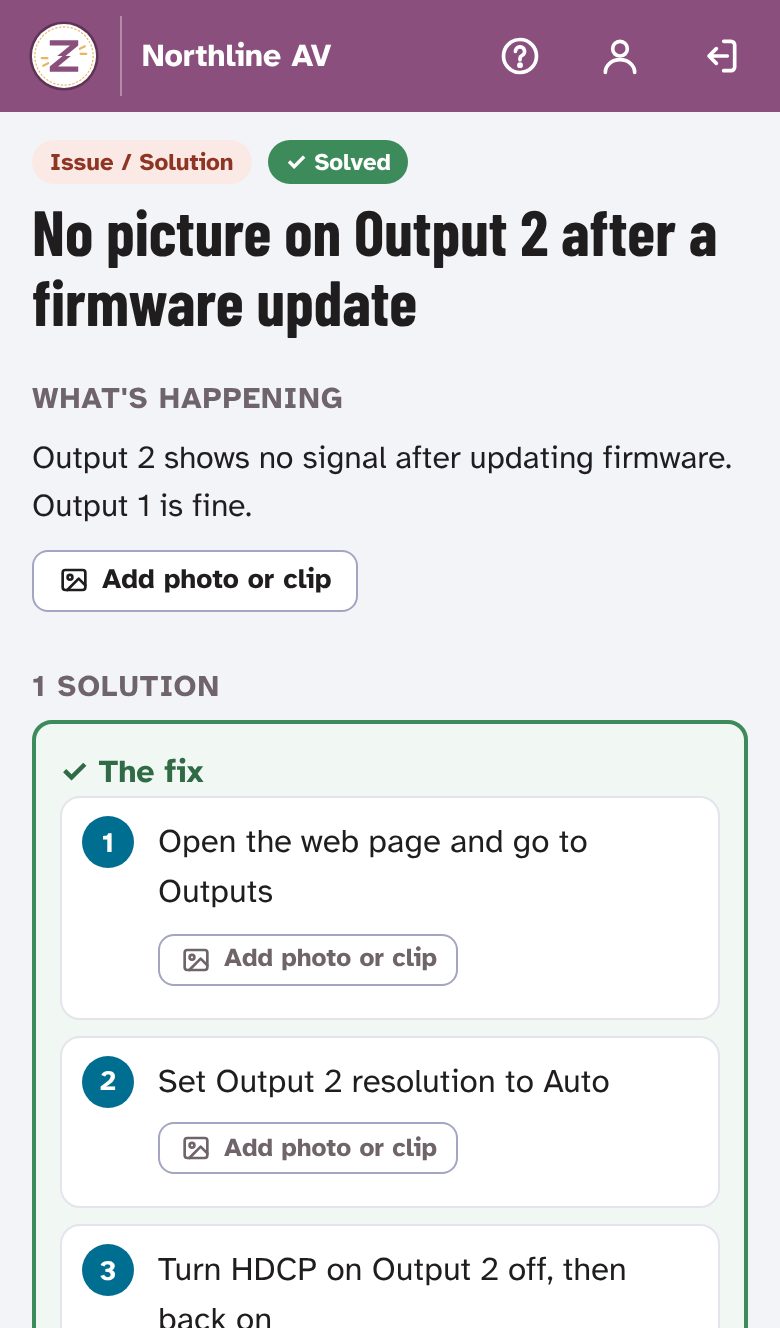
Searching…✓ 1 issue, solvedNo picture on Output 2 after a firmware update
Output 2 shows no signal after updating firmware. Output 1 is fine.
- 1. Open the web page and go to Outputs
- 2. Set Output 2 resolution to Auto
- 3. Turn HDCP on Output 2 off, then back on
From one tech's fix to the whole team
-
Write it down once
What's happening, a photo or a short clip, and the fix as numbered steps. Open issues collect proposed fixes until one is marked the fix.
-
Products that say what they need
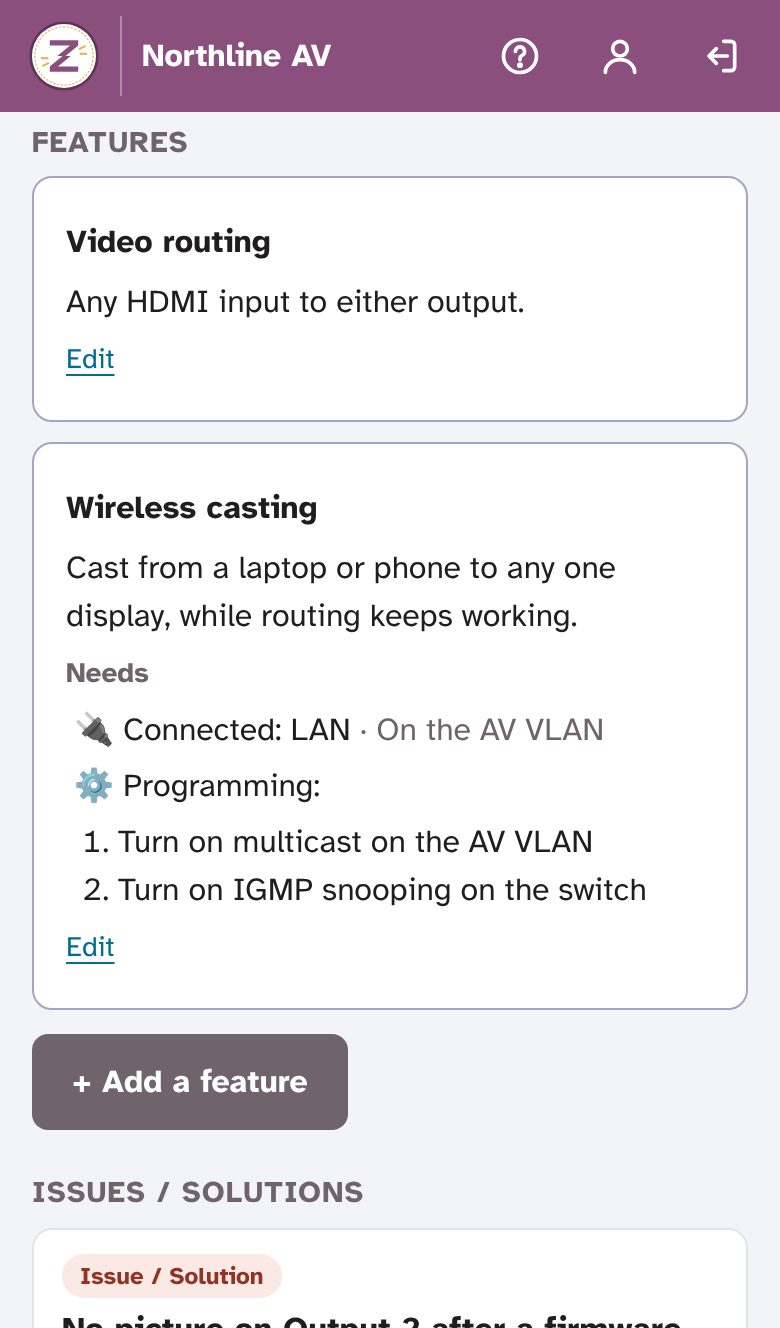
Each product lists its features and what each one takes: a cable, a setting, another part or a license, so the right parts go to the job the first time.
-
Find what does it all
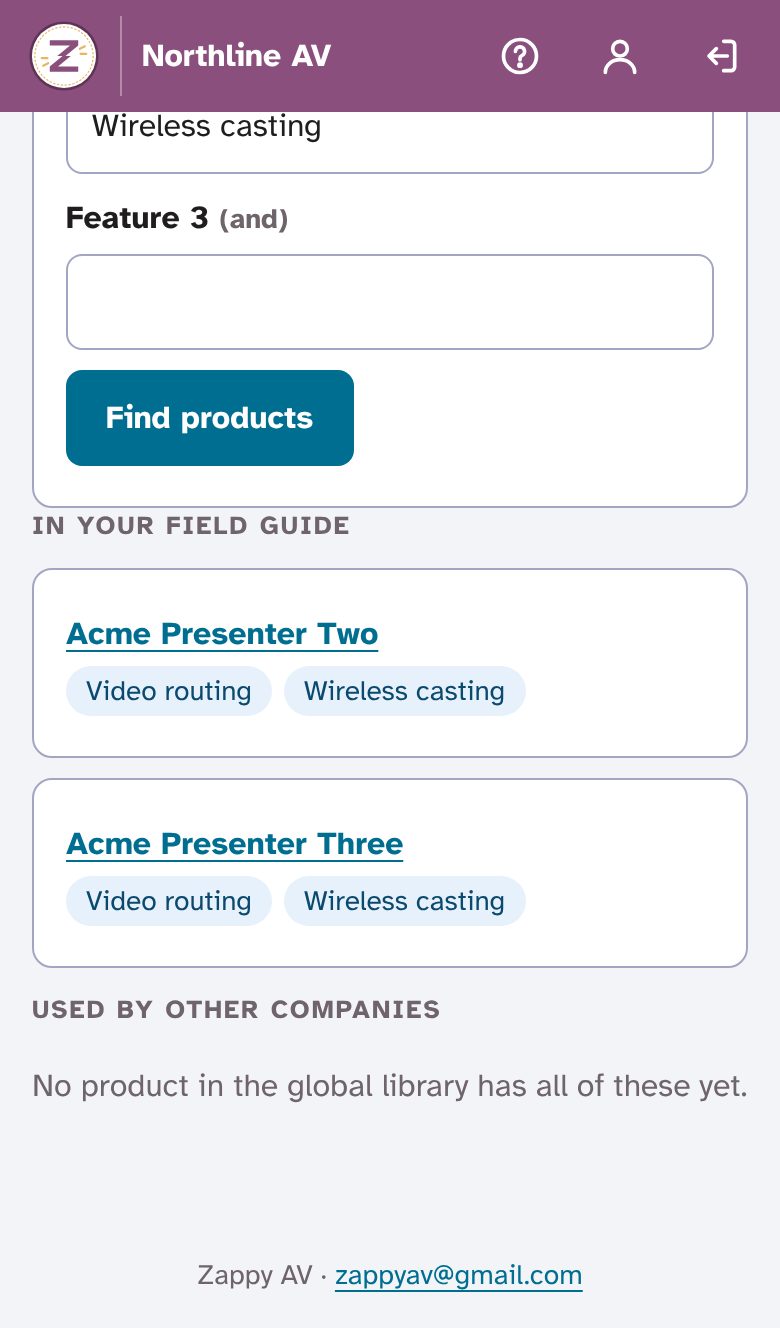
Search by features, like video routing and wireless casting, across your Field Guide and what other AV teams have shared.
Made for the gear you install
- Products
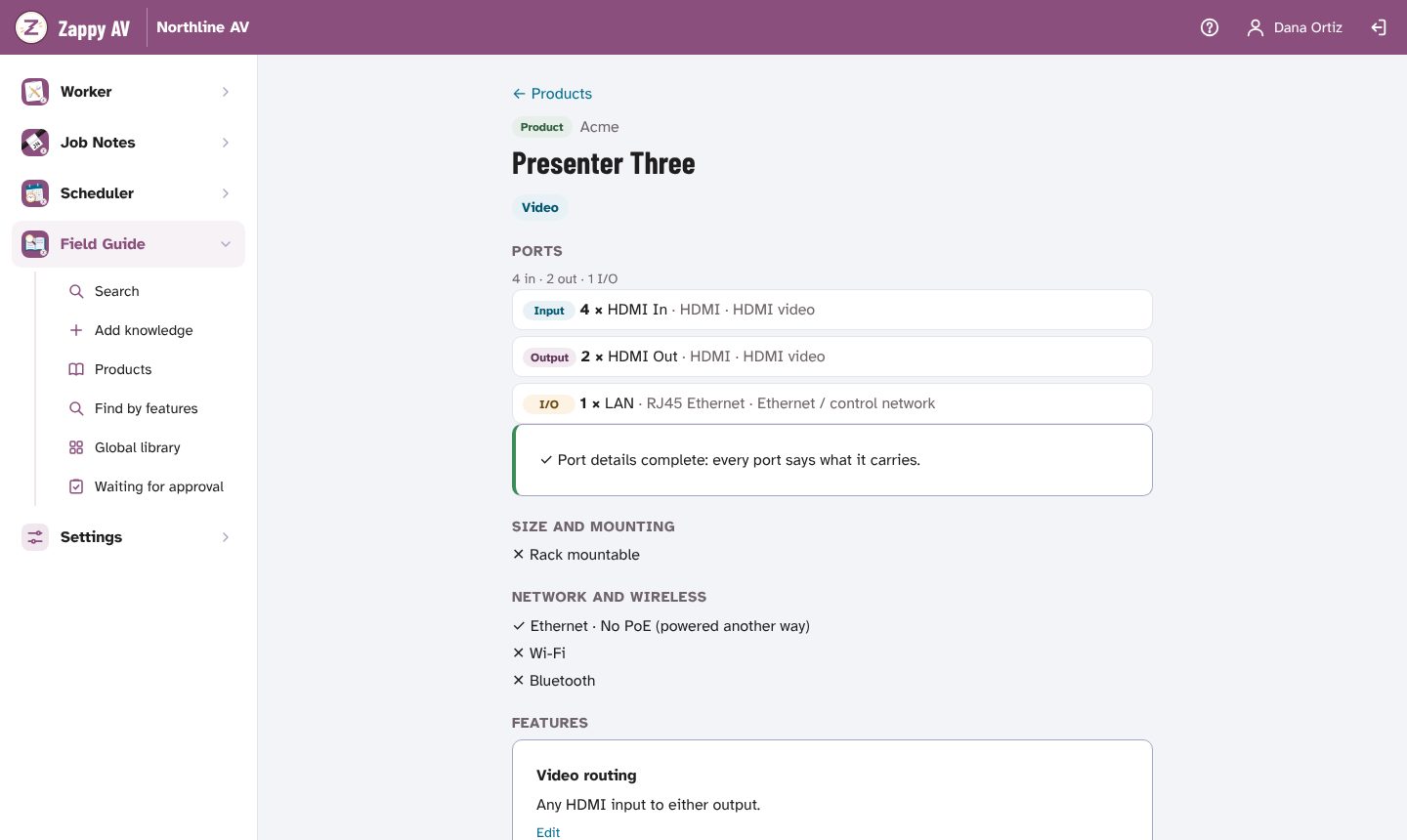
- Ports with what each one carries, its connector, pins and power; PoE and PoE budgets; rack units, size and weight; links to the manuals.
- Issues and solutions
- The symptom, a photo or clip, and the fix as steps. Mark one solution the fix, or archive what no longer applies.
- How-tos
- Tools, consumables and numbered steps, each with its own photo or short clip that plays like a GIF.
- Default settings
- Factory addresses, ports and reset steps, with logins kept as placeholders.
- Company standards
- How your team does things, from site prep to the definition of done, kept for your team only.
- From a job note
- Turn a fix in a Job Note into a draft issue, with the customer, site, job number and names taken out first.
Built for the office, too
- Reviewed before it's published
- Anyone on the team adds knowledge; people with Approve knowledge publish it or send it back with a note.
- Start from what others share
- New teams add the manufacturers they install from the global library, with each product's fixes, how-tos and default settings.
- Job descriptions
- Tied to Worker job titles and your standards, with text ready to paste into a job board.
- Equipment on the job
- Put Field Guide products on a Scheduler job; the crew taps each one as it's delivered, installed, programmed and commissioned, and the job note writes itself.
Share with other teams, never your name
- Shared knowledge carries no names and no company, only when it was shared.
- Email addresses, phone numbers, street addresses and passwords are flagged before anything is shared.
- Photos are re-saved without location or camera data.
- Teams mark what worked for them and report problems; only Zappy AV can remove shared knowledge.
Contribute to the global library
Every fix one team shares saves the next team a trip. Teams on Zappy AV share a product, and the fixes, how-tos and default settings they pick, from its page in their Field Guide.
Not on Zappy AV yet? Join the waitlist and share once your team is in.
Zappy AV isn't open yet, so this shows where things stand.
Join the waitlist
The Field Guide isn't open to new teams yet. Join the waitlist and we'll email you when there's room, starting with small AV teams: integrators, service companies, live-event crews and independent techs.
Your company already uses Zappy AV? Sign in; your org admin adds you there.
Opens an email to zappyav@gmail.com: tell us about your team.