
 Scheduler
The right tech on the right job.
The Scheduler puts installs, service calls and live shows on one board, suggests crew by who's free, who has the skills and who's closest, and gives every tech their week on their phone.
Fall concert: FOH audio and lighting
Thursday, Nov 5 · 12:00 PM–10:00 PM
Lakeview Church · Anderson
- Marcus Bell ★ Suggested Lead Installer · 2 min · RiggingAdd✓ Added
- Priya Shah ★ Suggested Commissioning · 18 min · ProgrammingAdd✓ Added
- Ken Ito Installer · 25 min · InstallationAdd✓ Added
Load-in: Fall concert · Thu, Nov 5, 12:00 PM
Lakeview Church, Anderson. Opens in Google, Outlook or Apple Calendar. No customer contacts or notes.
From booked job to crewed day
-
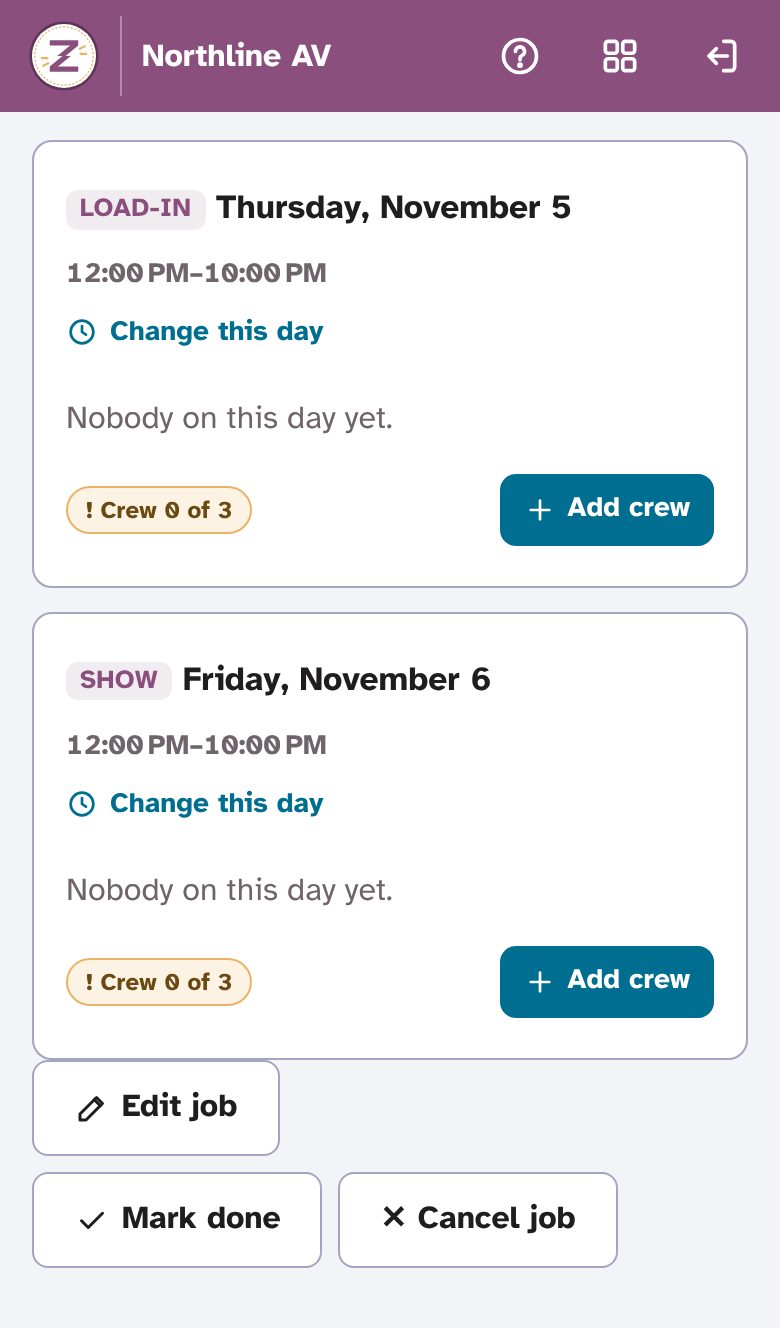
Book the job
A job can run several days, each with its own hours and crew. Day labels say what each day is: Load-in, Show and Load-out, or Rough-in, Trim-out and Commissioning.
-
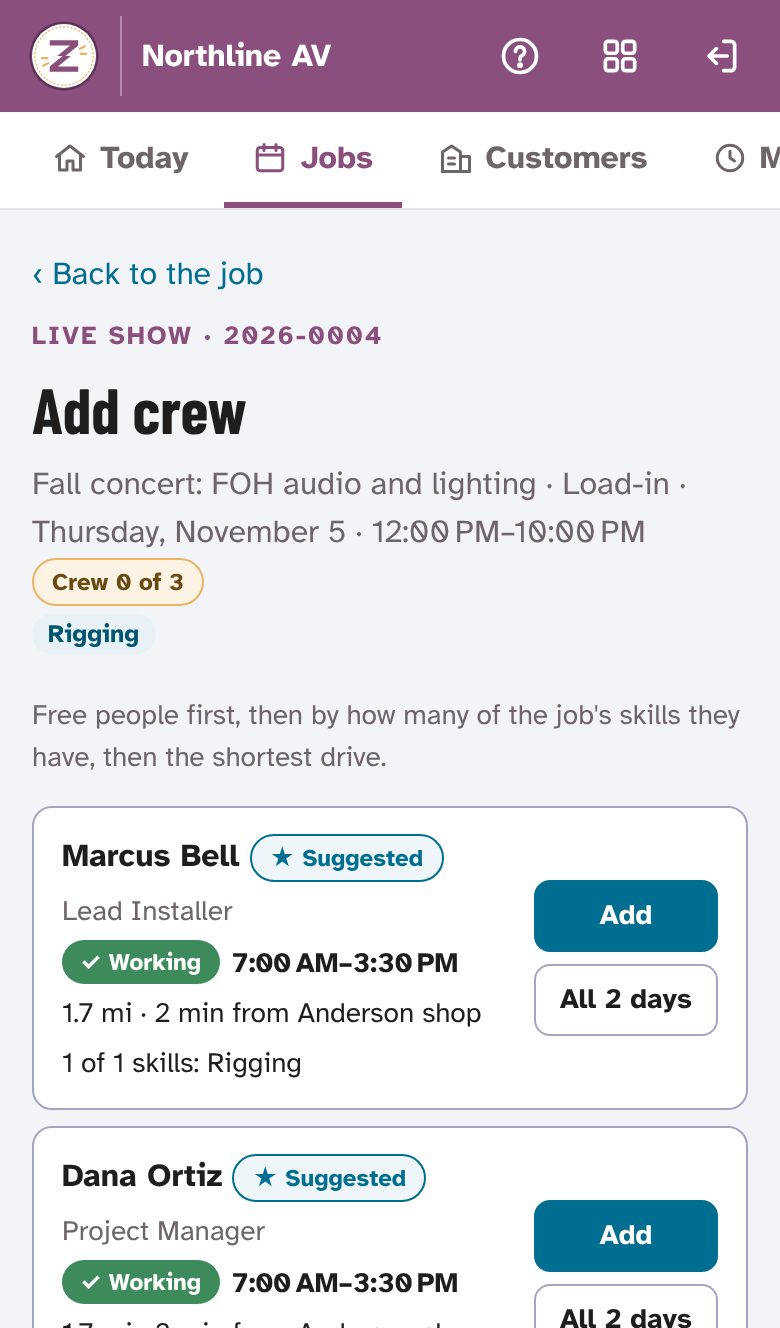
Pick the crew
Free people come first, then those with more of the job's skills, then the shortest drive. ★ Suggested marks the best fits; the dispatcher still chooses.
-
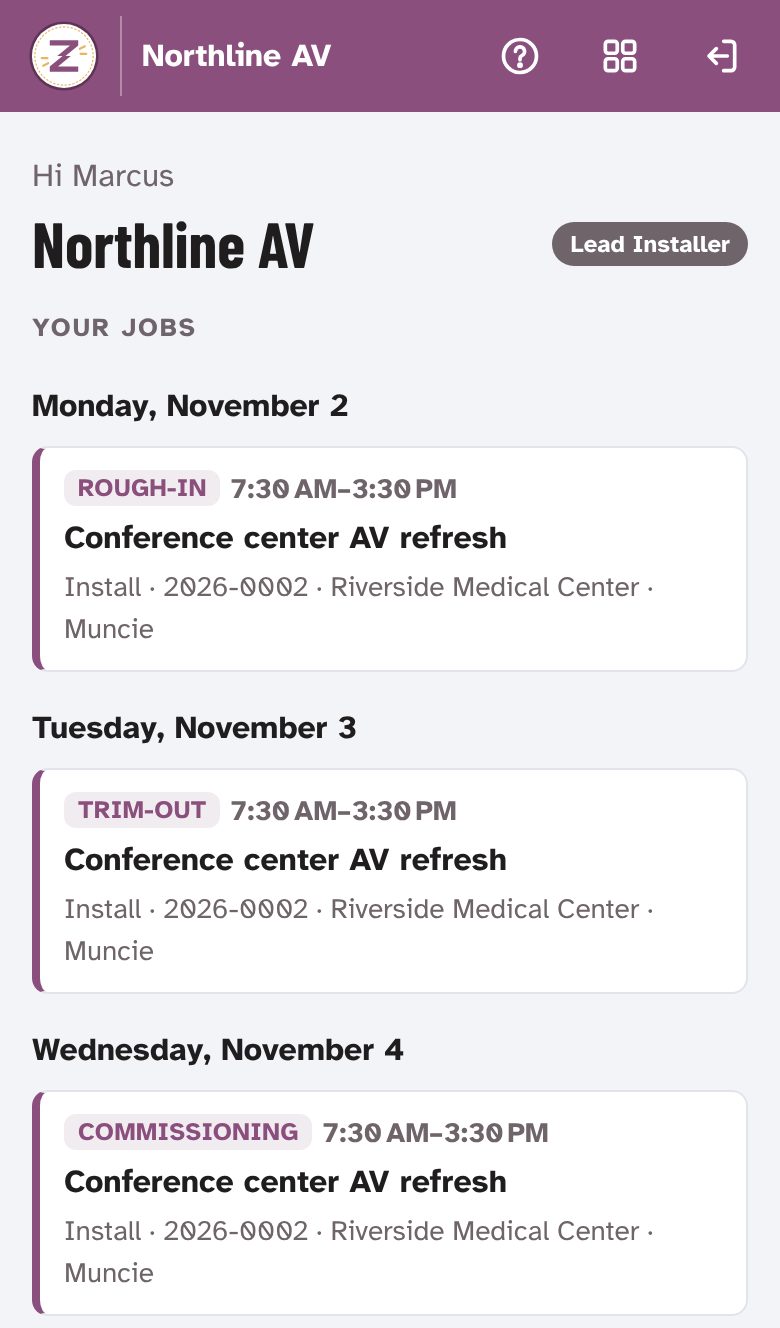
Techs see their week
Each tech sees only their own jobs, and gets an emailed calendar invite for each one that opens in Google, Outlook or Apple Calendar, without customer contacts or notes.
Made for how AV crews actually work
- Team today
- Who's working, who's out and which jobs still need crew, on one screen for the dispatcher.
- Job types and colors
- Ready-made types for installs, service and live events, plus your own, each with a color on the board.
- Branches and home areas
- Drive times start from each person's branch or home area. Home areas are a ZIP code or city, never a street address.
- My day
- Travel, start the job, lunch, back to work, done: one button at a time on the tech's phone.
- Mileage
- Worked out from the Travel presses by road distance or the recorded trace, with an optional commute deduction, reimbursement rates and a weekly PDF or CSV.
- Hands off to Job Notes
- "Write the job note" opens a note already filled in with the customer, site, job number, hours and crew. You can require the note before a tech presses Done.
Built for the office, too
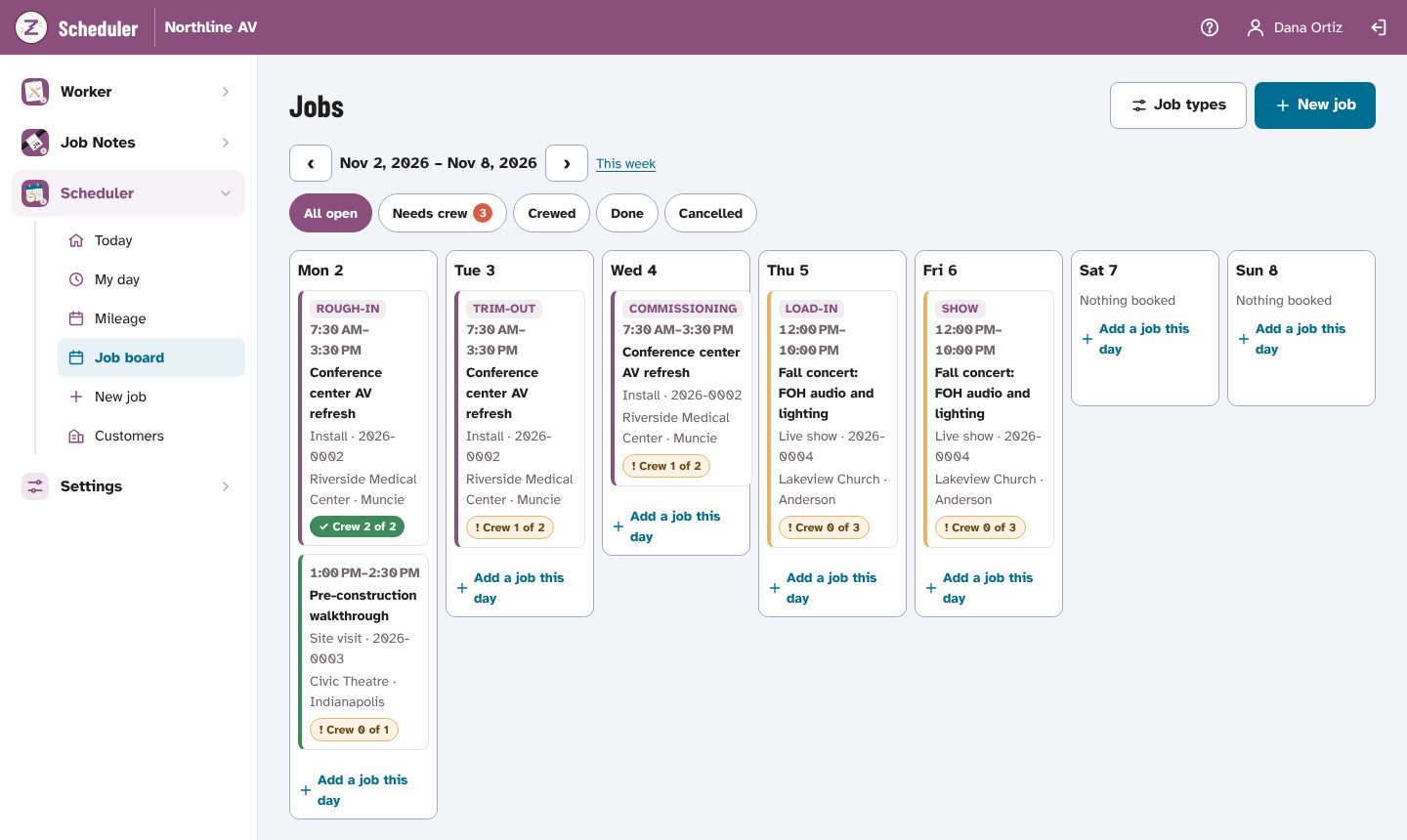
- A week at a glance
- Filter the board to jobs that need crew, are crewed, done or cancelled, and add a job to any day from the board.
- What needs you, on the home page
- The Zappy AV home page shows how many jobs still need crew, beside time off and notes waiting, with one menu for every app.
- Fair mileage fixes
- Dispatchers can correct or add a trip by typing the miles with a reason. Every fix is shown, and can be undone.
- Who works with it
- Org admins dispatch by default; the Dispatch switch can go to sales or guests too. Techs only ever see their own jobs.
Location only while on the clock
- Each tech reads and accepts a plain notice before anything is recorded.
- Location is recorded only while Travel or a job is on. Never on lunch, never after Done, never when the page is closed.
- The tech sees everything recorded about them. Dispatchers can too; nobody else.
- Location points are deleted after 90 days, or the time your company picks.
Join the waitlist
The Scheduler isn't open to new teams yet. Join the waitlist and we'll email you when there's room, starting with small AV teams: integrators, service companies, live-event crews and independent techs.
Your company already uses Zappy AV? Sign in; your org admin adds you there.
Opens an email to zappyav@gmail.com: tell us about your team.